
Built-In Code Editor

Posted on Jul 31, 2021 at 4:12 PM
While it's great that LVP supports plugins, it's inconvenient to have to go to Visual Studio to code a plugin. The idea of opening this massive application, creating a project, compiling the plugin, etc... is a lot to deal with. Then every time you want to make changes to your plugin, you have to go back to VS, etc... 

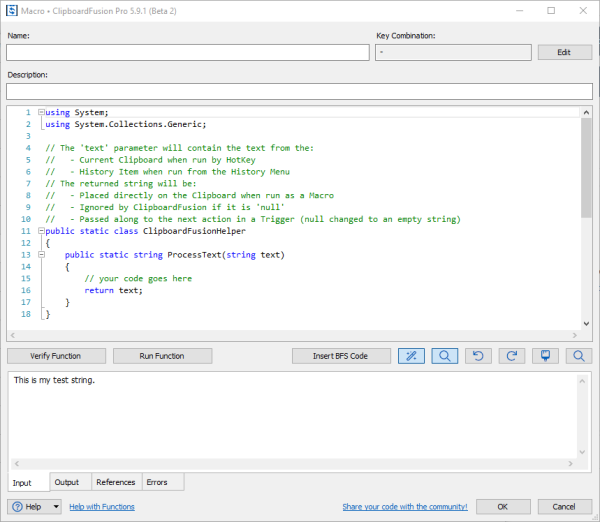
I use a clipboard manager application called Clipboard Fusion Pro, which also supports plugins, to perform custom processing on clipboard data. The cool thing is, it has a code editor built-in to the application itself, allowing you to code, compile and test C# or VB plugins entirely within the application. It woud be amazing to have this type of functionality built-in to LVP.

Posted on Jul 31, 2021 at 8:13 PM
Hi SoBe,

Thanks for the suggestion.

I am familiar with Clipboard Fusion as well.  This kind of functionality would indeed be very powerful within LogViewPlus and it was something that we investigated a few months ago.  For the moment, it is a low priority for us.  The reason why is because of the amount of work involved relative to the return for users.  It's a great idea - but several other aspects of the program need attention first.

So, we will definitely get there, but it is not on our immediate road map.

Hope that makes sense,

Toby

This topic is closed and cannot receive new replies.