Posted on Apr 29, 2022 at 7:05 PM
Thanks Brad,
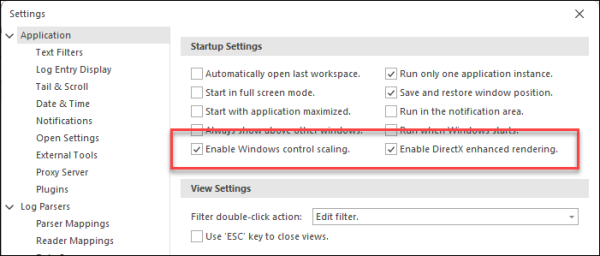
We have had reports of issues with LogViewPlus scaling when run
over an RDP connection and I suspect this is a similar issue.
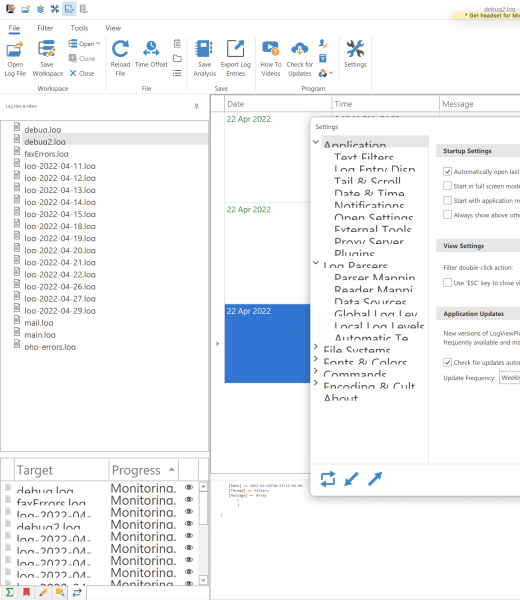
There is a lot of communication happening between the controls displayed and Windows. It is actually Windows which instructs the controls regarding how they should be scaled. The screenshot you attached above is particularly interesting because I can see different fonts used by the same control types. That is particularly strange and indicates that Windows is not sure how to scale the controls.
What I would suggest is adding the DisableScaling flag to the shortcut you use to start LogViewPlus:
logviewplus.exe -DisableScaling
This will run LogViewPlus in a less sophisticated mode. LogViewPlus should display fine, but the text will not be as crisp.
We do not currently have plans to support scaling LogViewPlus in RDP like scenarios. I will look into disabling scaling automatically when LogViewPlus is running over RDP and a high DPI is detected, but I am not sure if this change will help with the Parallels VM.
Hope that helps. Thanks for reporting this issue Brad.
Toby