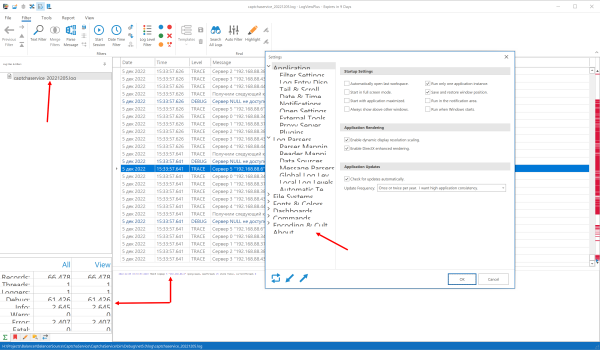
4K resolution is not correct in v3.0

Posted on Dec 5, 2022 at 3:56 PM
Win10 resolution 4K

Posted on Dec 5, 2022 at 3:59 PM
Hi Igor,
Thanks for bringing this problem to our attention. We are aware of some new high resolution display issues in LogViewPlus 3.0. These are primarily due to changes in a third party library. We hope to have a fix out in the next few weeks.
In the meantime, I would suggest you disable 'dynamic display scaling'.
Thanks,
Toby
Thanks for bringing this problem to our attention. We are aware of some new high resolution display issues in LogViewPlus 3.0. These are primarily due to changes in a third party library. We hope to have a fix out in the next few weeks.
In the meantime, I would suggest you disable 'dynamic display scaling'.
Thanks,
Toby
Posted on Dec 5, 2022 at 4:13 PM
version 2.6.5 similar
version 2.6.3 similar
version 2.6.0 general everything is small
version 2.5.51 it's ok, displays everything well
version 2.6.3 similar
version 2.6.0 general everything is small
version 2.5.51 it's ok, displays everything well
Posted on Dec 5, 2022 at 4:18 PM
Thank Igor. We have made several changes since 2.5.51 to support high DPI displays. I think disabling 'dynamic display scaling' would give you a similar level of support for high DPI as v2.5.51.
What version of Windows are you using? You can find out by running winver.
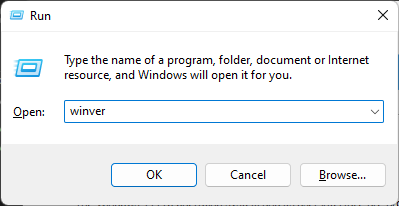
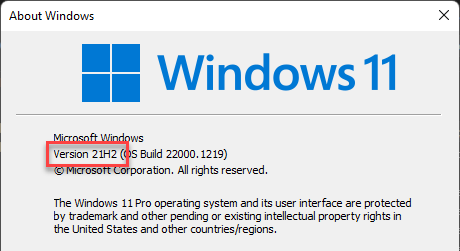
What version of Windows are you using? You can find out by running winver.
Posted on Dec 5, 2022 at 4:32 PM
windows 10 ver 22H2 (build 19045.2251)
Posted on Dec 5, 2022 at 4:36 PM
Thanks for confirming Igor.
High resolution displays are a problem for a number of users. This is something we are actively investigating. Hopefully, we will have an improved implementation in the next few weeks.
High resolution displays are a problem for a number of users. This is something we are actively investigating. Hopefully, we will have an improved implementation in the next few weeks.
Posted on Dec 5, 2022 at 4:42 PM
I don't have "dynamic display scaling". I have system screen scale 200%
Posted on Dec 5, 2022 at 4:44 PM
It's there in your first screenshot. See Settings -> Application -> Application Rendering. These settings are used to help address issues with high resolution displays.
Posted on Dec 5, 2022 at 5:46 PM
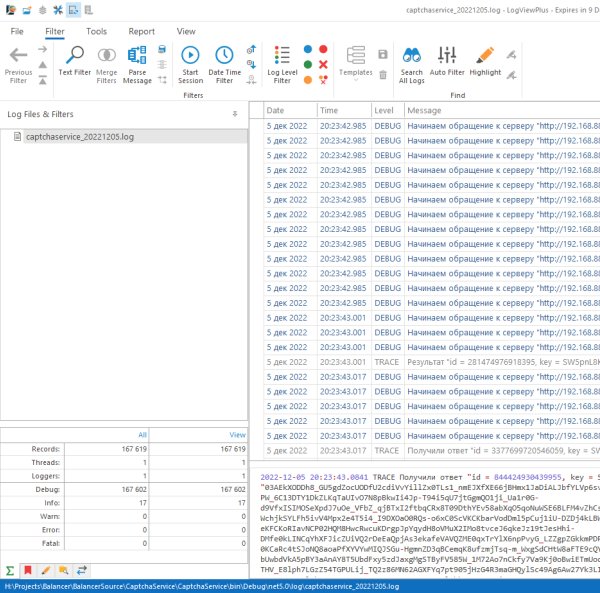
yes it helped, but the font is not anti-aliased
This topic is archived and cannot receive new replies.