Support opening 7z

Posted on Sep 10, 2024 at 12:57 PM
Besides opening the already supported compressed files, adding support for 7z would be outstanding. Especially as it is used a lot due to its great compression ratio.

Posted on Sep 10, 2024 at 6:54 PM
Hi Hennisch,
7zip support is a great idea - thanks for the suggestion! I will take a look and see what we can do for the next release.
In the meantime, you can manually add support for 7zip by creatinga command that references your local 7zip installation. The link is to an old video, but I think it will give you the idea of how everything should be configured.
Hope that helps,
Toby
7zip support is a great idea - thanks for the suggestion! I will take a look and see what we can do for the next release.
In the meantime, you can manually add support for 7zip by creatinga command that references your local 7zip installation. The link is to an old video, but I think it will give you the idea of how everything should be configured.
Hope that helps,
Toby
Posted on Sep 11, 2024 at 8:13 PM
Hey, that referenced video is unfortunately set to private, so I am not able to view it. ;)
Posted on Sep 12, 2024 at 7:32 AM
Sorry about that - thanks for letting me know. I have now updated the video privacy settings.
The information in the video is out of date, but the process for creating a custom command is still accurate.
Hope that helps,
Toby
The information in the video is out of date, but the process for creating a custom command is still accurate.
Hope that helps,
Toby
Posted on Sep 12, 2024 at 4:45 PM
So how do I pass the file name in the arguments? The arguments would look like this:
7z e archive.zip -oc:\soft
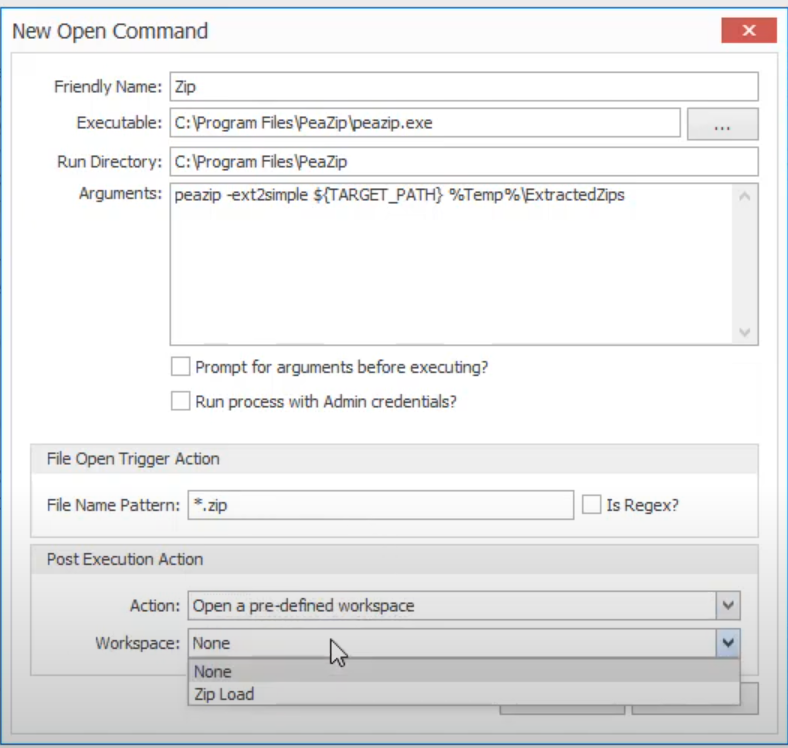
7z e archive.zip -oc:\soft
Posted on Sep 12, 2024 at 6:08 PM
You can put static arguments directly into the Arguements field. A small number of dynamic arguements are also supported.
Hope that helps,
Toby
Hope that helps,
Toby
Posted on Sep 16, 2024 at 8:20 AM
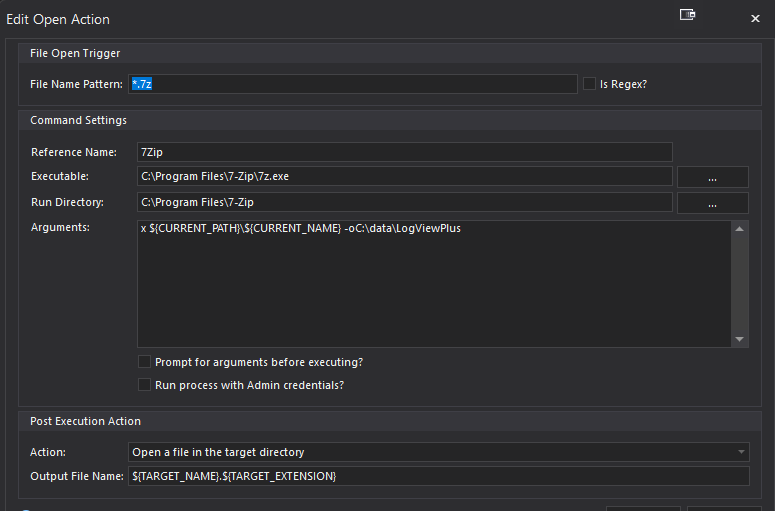
I have tried that but I have no clue how to pass the currently handed over file to to 7z. This did not work:
Posted on Sep 16, 2024 at 6:11 PM
Try ${TARGET_PATH}. The target variables refer to the target log file being opened. Current variables refer to the currently selected log file (which is not relevant in this case).
Hope that helps,
Toby
Hope that helps,
Toby
This topic is archived and cannot receive new replies.