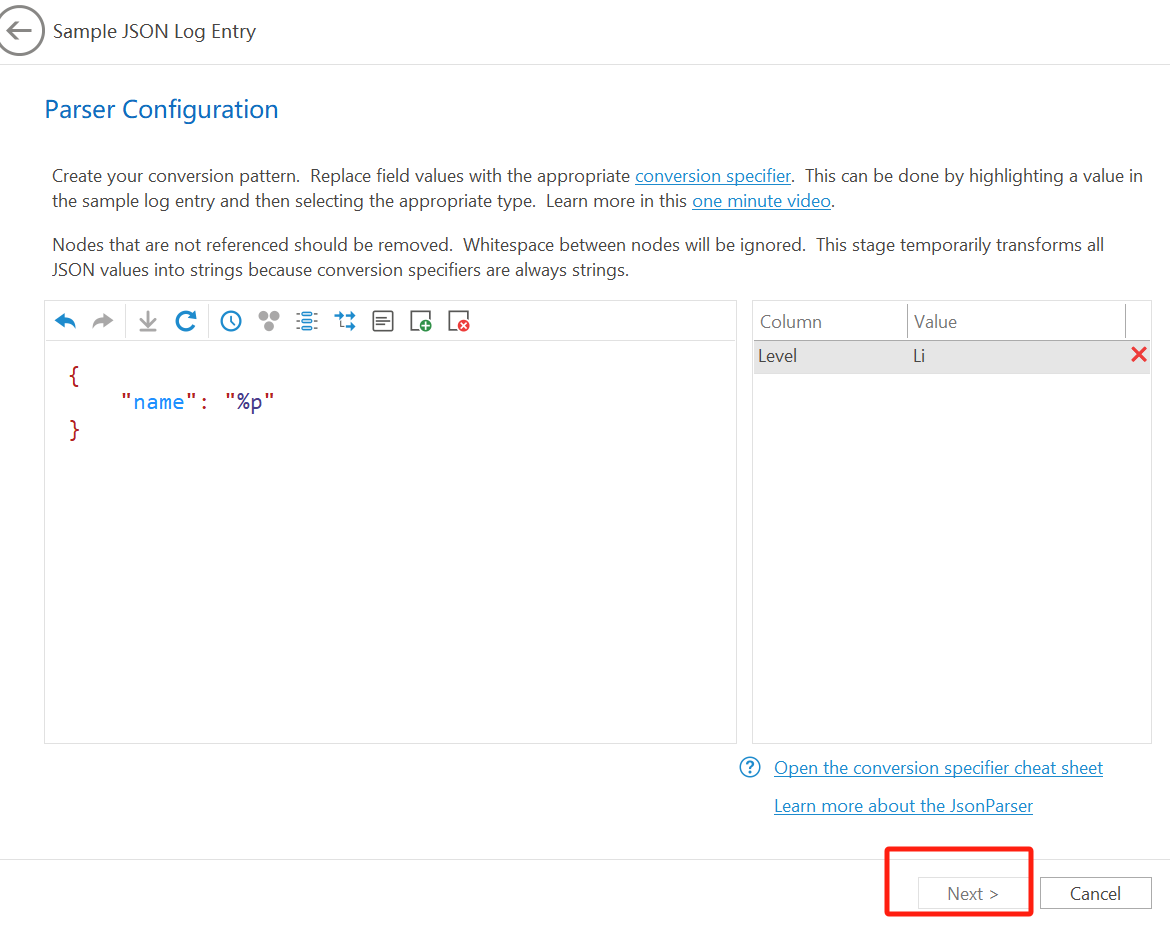
Next button in Parser Wizard is disabled

Posted on May 2, 2025 at 8:35 PM
cant click "NEXT" button, I don't know why, please help me

Posted on May 2, 2025 at 8:32 PM
Hi Joe,
Apologies for the delay in getting back to you. Our forum software flagged this post as spam. This can happen sometimes when the user name is very generic. You may want to change this by going to: Your Profile (the icon image next to your name above) -> Edit Account. You can then change your user name.
The next button is disable because your log entry does not have a timestamp. LogViewPlus requires a timestamp on all log entries.
I can see that this is not very intuitive. Thanks for pointing this out. I will take a look and see what we can do to improve the usability for the next release.
Thanks again,
Toby
Apologies for the delay in getting back to you. Our forum software flagged this post as spam. This can happen sometimes when the user name is very generic. You may want to change this by going to: Your Profile (the icon image next to your name above) -> Edit Account. You can then change your user name.
The next button is disable because your log entry does not have a timestamp. LogViewPlus requires a timestamp on all log entries.
I can see that this is not very intuitive. Thanks for pointing this out. I will take a look and see what we can do to improve the usability for the next release.
Thanks again,
Toby
Posted on May 26, 2025 at 1:37 PM
Thanks for the feedback Joe.
We are actually working on a new product which may make it easier to support these kinds of features, but there is nothing planned for JSON in the short term.
We are actually working on a new product which may make it easier to support these kinds of features, but there is nothing planned for JSON in the short term.

Posted on Jan 27, 2026 at 1:52 PM
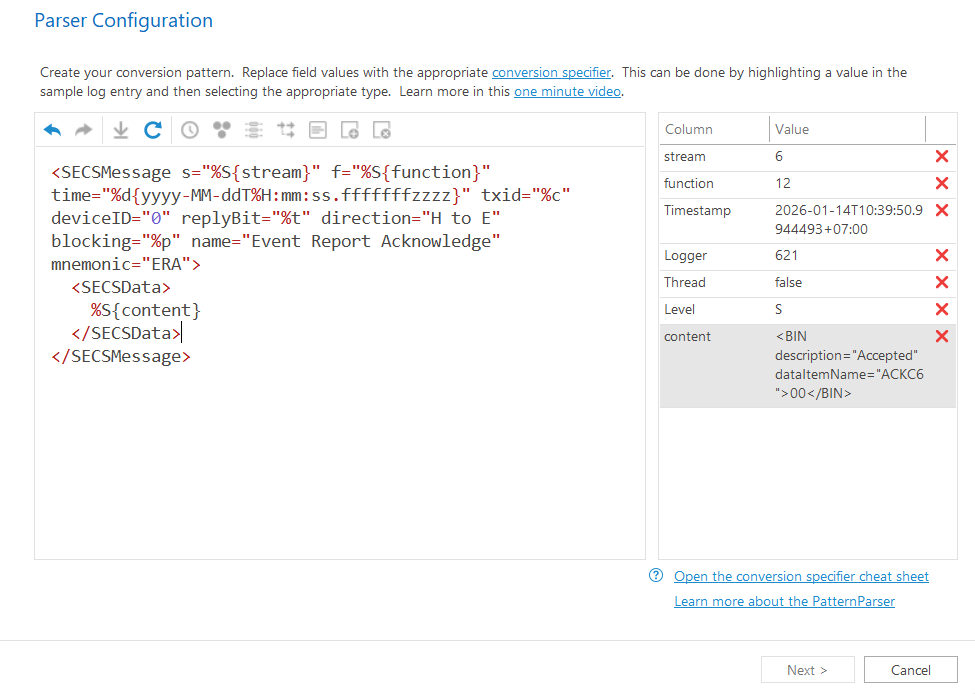
Which field am i missing here? Next button is disabled too.
This topic is archived and cannot receive new replies.