Show Additional XML Fields

Posted on Sep 23, 2020 at 10:02 AM
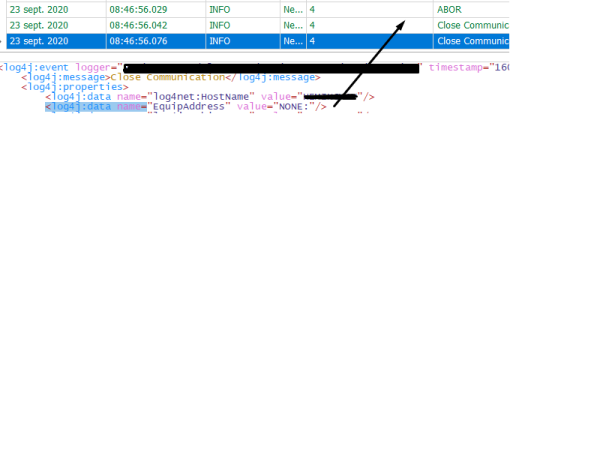
hello i am using a <log4j:event message that contains <log4j:data name= element. is there a way to include one of the data directly in the gridview as shown in the below screen shot

Posted on Sep 23, 2020 at 10:11 AM
Hi Sebastien,
You can show additional XML fields by adding them to the parser configuration. For example, in the scenario above, you could modify your parser configuration by adding:
The %S field definition will extract the contents of the string to a new "EquipAddress" column. Note that each field definition will result in a new column, so it is best to limit the total number of definitions.
You can find out more about the %S specifier here:
https://www.logviewplus.com/docs/_s_and__s_specifiers.html
Hope that helps,
Toby
You can show additional XML fields by adding them to the parser configuration. For example, in the scenario above, you could modify your parser configuration by adding:
<log4j:data name="EquipAddress" value="%S{EquipAddress}"The %S field definition will extract the contents of the string to a new "EquipAddress" column. Note that each field definition will result in a new column, so it is best to limit the total number of definitions.
You can find out more about the %S specifier here:
https://www.logviewplus.com/docs/_s_and__s_specifiers.html
Hope that helps,
Toby
This topic is archived and cannot receive new replies.