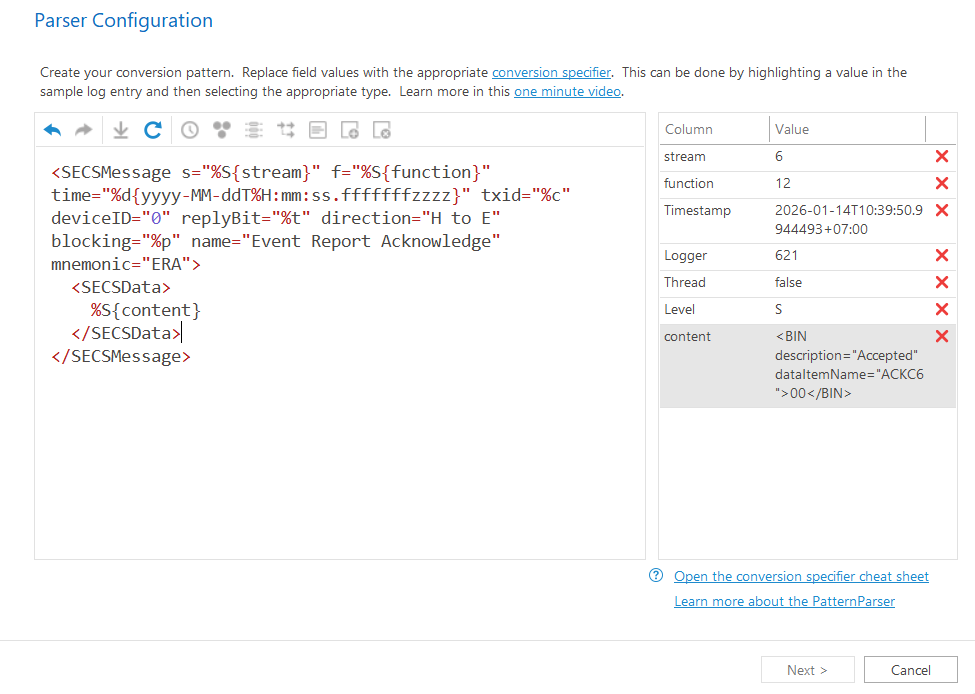
Next button is disabled

Posted on Jan 27, 2026 at 1:49 PM
Why the Next button is grey out? Which field am i missing?

Posted on Jan 27, 2026 at 6:41 PM
Hi,
Thanks for bringing this issue to my attention. It looks like you have the information needed to continue (primarilly the timestamp). Are you able to share a log entry with the parser configuration shown? This would allow me to recreate the issue locally.
In the meantime, I would recommend ignoring the Parser Wizard and attempting to use the parser configuration shown directly using the standard parser configuration dialog.
Hope that helps,
Toby
Thanks for bringing this issue to my attention. It looks like you have the information needed to continue (primarilly the timestamp). Are you able to share a log entry with the parser configuration shown? This would allow me to recreate the issue locally.
In the meantime, I would recommend ignoring the Parser Wizard and attempting to use the parser configuration shown directly using the standard parser configuration dialog.
Hope that helps,
Toby
Posted on Jan 28, 2026 at 1:12 AM
Here you go. The ideal here is to extract all the SECSMessage as individual log entry, then the log message content would be those enclosed in SECSData tag.
Attachments
Posted on Jan 30, 2026 at 11:57 AM
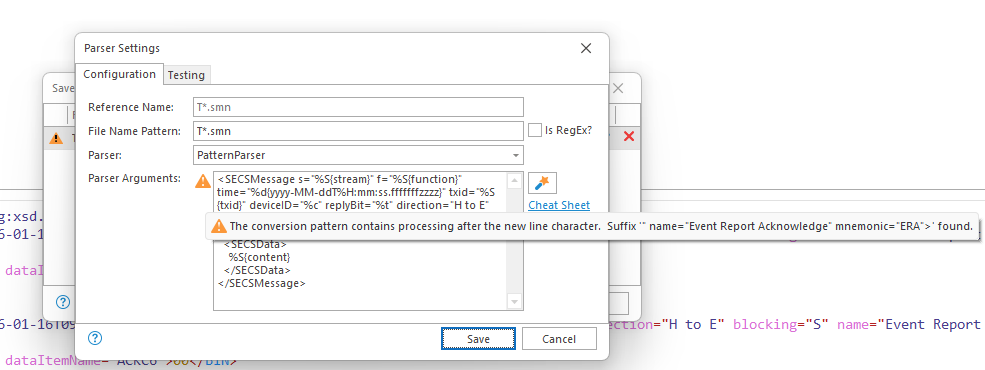
I got error by using parser configuration dialog too:
Posted on Jan 30, 2026 at 2:39 PM
Thanks for the update.
The correct way to parse this file would be to use the XML Parser and not the default PatternParser.
Unfortunately, the XML parser currently does not support parsing child nodes collectively. It only supports text nodes. I have addressed this issue, so this functionality will be supported in the next release.
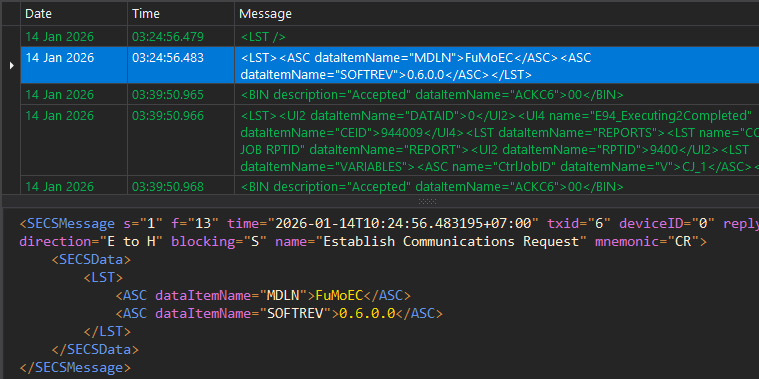
Beginning with the next release (scheduled for Feb), you should be able to parse the file with:
Hope that helps,
Toby
The correct way to parse this file would be to use the XML Parser and not the default PatternParser.
Unfortunately, the XML parser currently does not support parsing child nodes collectively. It only supports text nodes. I have addressed this issue, so this functionality will be supported in the next release.
Beginning with the next release (scheduled for Feb), you should be able to parse the file with:
<SECSMessage time="%d">
    <SECSData>%m</SECSData>
</SECSMessage>
Hope that helps,
Toby
Posted on Feb 1, 2026 at 9:36 AM
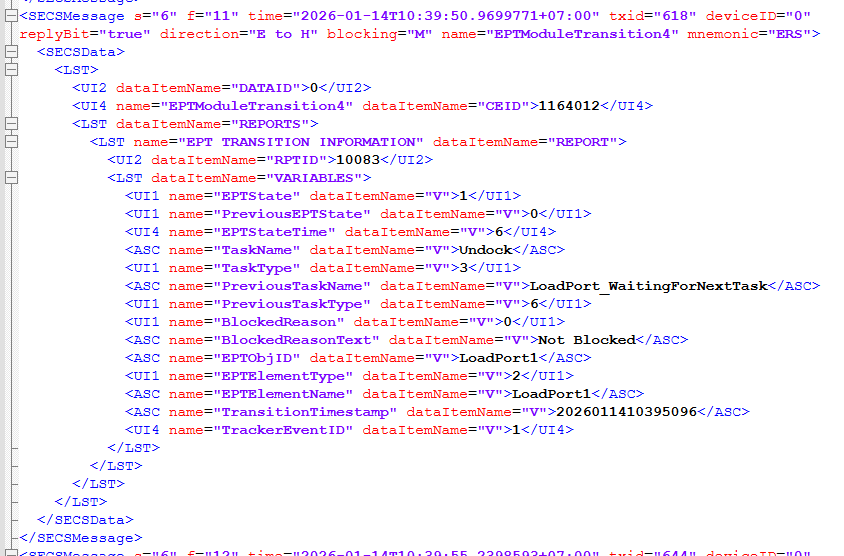
Thanks, Toby! Right now, the application is parsing the entire SECSData block into a single 'Message' column. Is it possible to flatten this structure? I would like to extract the nested fields (like TaskName, EPTState, and CEID) into separate columns for detailed analysis.
Posted on Feb 1, 2026 at 10:29 AM
Flattening the XML data isn't something that is supported by default. You could use standard Message Parser, but in this case I think you are going to be limited because the data is so complex.
A better alternative would be to write a custom extension. I would suggest using a Custom Message Parser. Our example code should provide a good head start for this use case.
Hope that helps,
Toby
A better alternative would be to write a custom extension. I would suggest using a Custom Message Parser. Our example code should provide a good head start for this use case.
Hope that helps,
Toby
This topic is archived and cannot receive new replies.