Turning off highlighting in text filters

Posted on Feb 6, 2023 at 9:41 PM
Hello,

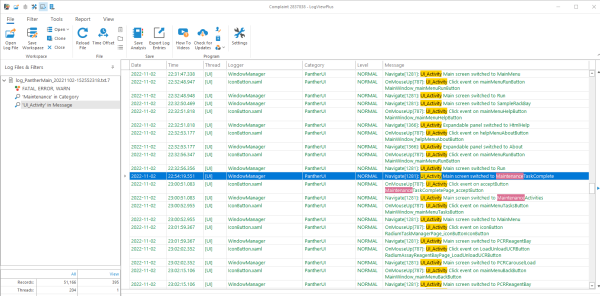
When I create a text filter, the text I'm filtering for is highlighted in every log entry in which it appears. While I can see how this might be useful in some cases, to me it's mostly annoying. Is there a way to turn it off?

-- Tim
Posted on Feb 6, 2023 at 10:20 PM
Hi Tim,

The main highlight in yellow is a direct match for the current text search and cannot be turned off. 

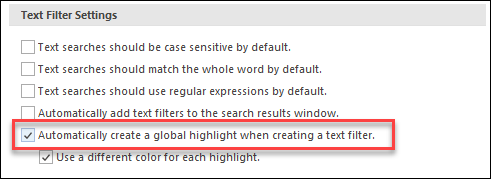
When you search for text, LogViewPlus will also create a global highlight by default.  Global highlights will find the text in any filter across any open file.  You can disable this default behaviour in application settings:


You can also disable global highlights on a per-search basis.

Hope that helps,

Toby
Posted on Feb 6, 2023 at 10:43 PM
Thanks. I was wondering what the "global highlight" setting did, especially since it didn't seem to affect the highlighting I was trying to get rid of. I wish there was a setting to turn it off the text filter highlighting entirely. To me, it creates a lot of distracting visual noise and makes the results harder to read, not easier. I realize that other users might not feel that way. That's why I think it should be a setting. It would be fine if it defaulted to being on. I just want the ability to turn it off.

-- Tim
Posted on Feb 7, 2023 at 6:18 AM
Glad that helped Tim.  

I will look into adding a setting to disable the main text filter highlight.  Thanks for the suggestion!

Toby

This topic is closed and cannot receive new replies.