Import Settings
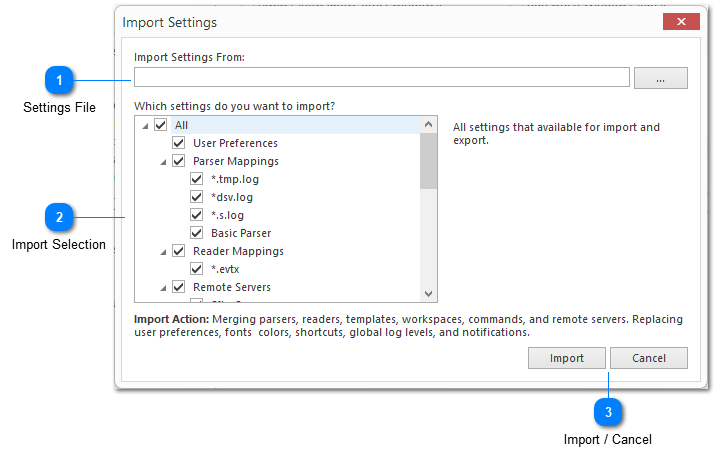
The Import Settings dialog can be used to import previously exported LogViewPlus settings. The dialog provides the ability to import settings on a granular level. This gives you more flexibility when managing your settings.
By default, the import process will merge the incoming settings into your current configuration where possible. For example, if you are importing a parser configuration, this can be done without replacing your existing parser configurations.
During a merge, LogViewPlus safely incorporates incoming parsers, templates, and workspaces alongside your existing ones. Conflicts are smartly resolved by matching file-name patterns (for parsers) or unique names. If you prefer a clean slate, a full Replace option is still available, which acts as a traditional overwrite.

Settings File

The full path to the previously exported settings file. There is a command button on the far right of the window which can be used to browse for the file.

Import Selection
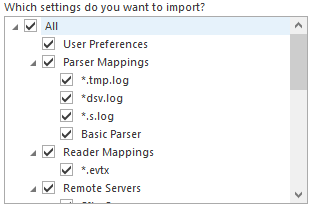
The import selection check boxes allow you to choose which settings to import. Checked categories will be completely replaced by imported settings. Categories which are unchecked will not be modified.
If the exported file you are trying to import does not have a particular category, then that category check box will have no impact on the import process.

Import / Cancel
The Import command can be used to commit the operation. Use the cancel command if you do not want to execute the import.